
|
|
|||||||
| View Poll Results: Do you want a texture update to the character models? | |||
| Yes. It looks better with some SoV texture elements. |
   
|
409 | 64.31% |
| Yes, but it has to be 100% classic! No SoV textures. |
  
|
84 | 13.21% |
| Maybe. |
  
|
54 | 8.49% |
| No. Classic is better. |
  
|
89 | 13.99% |
| Voters: 636. You may not vote on this poll | |||
 |
|
|
Thread Tools | Display Modes |
|
#91
 06-05-2011, 10:09 PM
|
|||
|

So I think I am leaning towards a different look (a sort of cel-shaded/handdrawn look) but I wanted to see what happened to a zone under the same set of effects, however I seem unable to open/edit the .bmp files that aren't in a xxxx_chr.s3d file. xxxxx.s3d and xxxxx_obj.s3d (droga.s3d and droga_obj.s3d) don't appear to work. How did you manage to pull a texture for the world, Nysus? Hell, does this even look interesting?
Also this isn't complete, I need to redo the lighting on it (and I messed up the boots). [You must be logged in to view images. Log in or Register.] Zomboners [You must be logged in to view images. Log in or Register.] | ||
|
Last edited by Aadill; 06-05-2011 at 10:41 PM..
|

|
||
|
#93
06-06-2011, 08:29 AM
|
|||
|
Printscreen it is!
It seems like it's really easy to edit NPC textures because once you do a set in one zone you simply copy and paste into another since all the names are the same. I did all versions of zombies and dropped them into each zonefile that had zombies and voila! World textures do look like a total mess but I might look into a point-click style macro that would run each file through the same procedure. I like the work you guys are doing but I'm kinda diggin this, especially if I can make zone files look all hand-drawn as well. If you want help on your particular project I might be so inclined as to help with some textures but I'm horrible at using photoshop. I've mainly been using filters which has created some interesting effects including shiny plate armor, but I don't think that's something you intend to change. Let me know, though! A few questions: I know there is the transparent helm patch: How the heck do you set transparencies? Maybe I'm saving it under the wrong bit depth? I thought magic pink was all you needed to put into the file but it won't work for me. Am I missing anything? When you are done sprucing up the files do you drop the file size down again or do you leave it as 4x the dimensions? That can get large very quickly. | ||
|
Last edited by Aadill; 06-06-2011 at 09:01 AM..
|
|
||
|
#94
06-06-2011, 01:14 PM
|
||||
|
Quote:
Pink is not ALWAYS the Transparency color; for instance, some zone related objects use specific shades that are defined in their object model (I assume). Trees are a good example of this; some of them have different transparency colors.
__________________
[47 Wizard] Kobias (Human)
Originally from Tarew Marr. May it rest in peace, as it died to become Drinal :'( | |||
|
|
||||
|
#95
06-06-2011, 02:30 PM
|
||||
|
Quote:
Once this project is complete, I intend to open source ALL of it. Maybe someone feels they can add even more details, or wants to change certain things, they are welcome to do it. This is a community project, so therefore it should be open to the community also. All textures are going to be released in full 4x resolution. Once the final release is made I will make a 2x res version available also. The completed 4x texture file will be about 50MBs I estimate. That's many times the size of the original, but it will only slow your initial login by a few seconds at most. The global texture files are only loaded once IIRC. The first release is approaching fast. I decided to make the first release just human males and cloaks, so I only have 2.6 cloaks left to do! Maybe by this time next week it will be out. I must say the cloaks are really turning out awesome! The increased detail that 4x resolution textures allow really makes them shine. Even the much hated blue cloak (nipple guards and all) looks considerably better!
__________________
 Scram Jet Air "Because only poor people take the boat." My Projects: UI, Sound, Music, Character Textures, Trailer | |||
|
|
||||
|
#97
06-10-2011, 09:52 AM
|
|||
|
Awesome improvements!!
I'm stoked to see what the dark elves will look like. I hate the way the naked female dark elf back looks so shiny, and the rest of the skin so matte. Drives me crazy. It looks like she's sweaty on only her back and ashy everywhere else. Aadill's cell shading: I'm digging the way the monk's stomach looks more raised instead of just one flat texture. It makes it look much more detailed.
__________________
 | ||
|
|
|||
|
#98
06-12-2011, 07:22 AM
|
|||
|
i cant wait for a gnomes... =)
__________________
 | ||
|
|
|||
|
#99
06-14-2011, 12:43 PM
|
|||
|
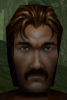
Still have a little work to do on the eyes and eyebrows but here's a completed texture with a new face. Xevin did the armor, I did the face.
[You must be logged in to view images. Log in or Register.]
__________________
Apog - 58 Halfling Druid <Azure Guard>
| ||
|
|
|||
|
|
|







 Linear Mode

